How do I register for an account?
Registration for an account on fbgb is carried out easily via the registration form on the registration page.
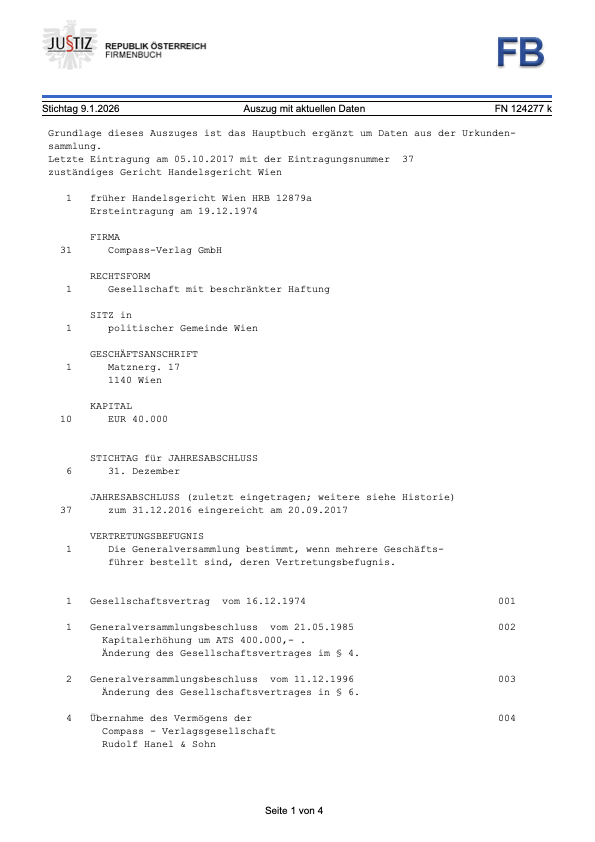
Retrieve an Extract from the Business Register
Enter the company name, Business Register Number (FN) or VAT Identification Number (UID) to receive the current extract instantly.
Download the form, fill it out, sign it and send it by e-mail to office@hfdata.at.
Once your registration has been received, you will receive your login details by e-mail. From that point on, you can log into your account at any time and access all available official Register Documents.
Billing for the queries is carried out on a monthly basis, which makes an account particularly suitable for companies, law firms and professionals with a regular need for documents.
Example Extract from the Business Register